

Project Profitability Excel Template – Track Costs, Revenue & Margins
Track project costs, revenue, budget vs actual performance, and profit margins with a practical Project Profitability Tracker Excel Template.
What This Project Profitability Excel Template Does
This template helps you bring project revenue, costs, budgets, and profitability into one structured Excel workbook—so you can understand how a project is performing and where its financial results are heading.
Understand the financial performance of a project before the final numbers arrive.
Track Project Revenue & Costs
Record contract value, billing information, team hours, labour costs, and other project expenses to build a clear view of project-level financial activity.
Compare Budget vs Actual
Compare planned project costs with actual spending, identify cost variances, and understand whether the project is moving within its approved financial budget.
Forecast Profitability
Use actual results and remaining cost estimates to evaluate expected total project cost, forecast profit, and potential changes in project margins.
Update the workbook regularly. Project profitability is easier to manage when actual hours, expenses, billing, and remaining cost estimates are updated throughout the project—not only after completion.
From Project Budget to Profitability Forecast
A project can appear profitable at the start and still lose margin as hours, expenses, and delivery costs increase. This Project Profitability Excel Template helps you connect planned figures with actual performance and expected final results.
Set the Budget
Enter the project contract value, planned hours, budgeted costs, and expected financial targets.
Track Actuals
Record actual team hours, labour costs, expenses, billing, and other project-level financial activity.
Forecast the Finish
Combine actual results with remaining estimates to understand expected total cost and project profit.
Review the Margin
Identify cost overruns, margin pressure, and changes in expected project profitability.
Ready to explore the workbook?
Download the template and review your project’s financial
performance in a structured Excel format.

Key Features of the Project Profitability Excel Template
The workbook brings together the information needed to review project financial performance—from contract budgets and team costs to actual spending, forecast results, and profitability analysis.
One workbook for the numbers behind your project.
Use this Project Cost Tracker Excel Template to organise planned and actual project costs, connect them with revenue information, and review how financial performance changes during delivery.
- Project Setup & Contract Budget Enter project details, contract value, planned hours, and budget assumptions.
- Team Hours & Labour Costs Track team members, hourly rates, actual hours, and related project labour costs.
- Budget vs Actual Costs Compare planned project costs with actual spending and identify important cost variances.
- Forecast at Completion Use actual results and remaining estimates to review expected total project cost.
- Revenue & Project P&L Review project revenue, costs, forecast profit, and gross profit margin.
- Margin Erosion & RAG Status Highlight changes in project profitability and identify areas requiring management attention.
The template is designed for project-level financial analysis. It does not replace accounting records, invoicing systems, payroll software, or formal project management software.
What You Can Calculate with This Project Profitability Excel Template
Turn project inputs into useful financial indicators. This Project Profit Margin Calculator Excel workbook helps connect project revenue, costs, and forecasts to understand expected profitability.
Project Revenue & Total Cost
Review contract revenue, actual project spending, and expected total cost based on the information entered.
Project Profit & Gross Margin
Understand forecast project profit and gross profit margin using revenue and project cost estimates.
Budget vs Actual Variance
Compare planned costs with actual costs to identify overspending and changes in project cost performance.
Forecast at Completion
Combine actual costs and remaining estimates to assess the expected final financial outcome.
Forecast figures are estimates, not guarantees. The accuracy of project profitability depends on the quality of the revenue, cost, hours, and remaining-estimate information entered into the workbook.
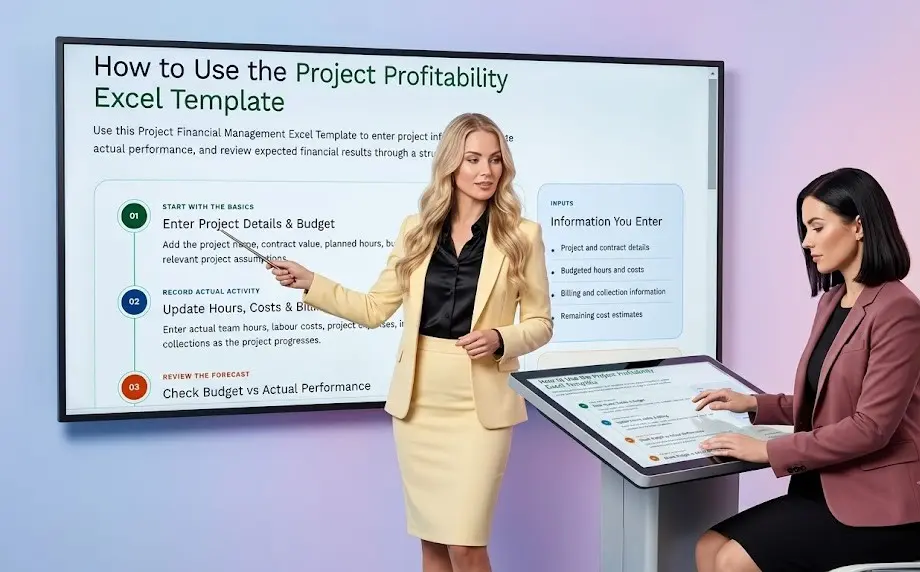
How to Use the Project Profitability Excel Template
Use this Project Financial Management Excel Template to enter project information, update actual performance, and review expected financial results through a structured workflow.
Enter Project Details & Budget
Add the project name, contract value, planned hours, budgeted costs, and other relevant project assumptions.
Update Hours, Costs & Billing
Enter actual team hours, labour costs, project expenses, invoiced amounts, and collections as the project progresses.
Check Budget vs Actual Performance
Compare planned and actual figures, review cost variances, and assess remaining estimates for the project.
Review Project Profitability
Use the project P&L and dashboard to understand expected total cost, forecast profit, and changes in project margin.
Information You Enter
- Project and contract details
- Budgeted hours and costs
- Actual hours and expenses
- Billing and collection information
- Remaining cost estimates
Information You Review
- Budget vs actual costs
- Forecast total project cost
- Expected project profit
- Gross profit margin
- Project financial dashboard
Keep actual and forecast figures separate. Update actual costs from available records and use realistic remaining estimates so the Project Budget Tracking Spreadsheet provides a more useful view of expected project profitability.
Who Can Use This Project Profitability Excel Template?
This project profitability tracker Excel template is useful for businesses that need to connect project budgets, team costs, billing, revenue and expected profit in one practical workbook.
Make project financial tracking easier to manage.
Whether you manage client assignments, internal projects, service contracts or implementation work, the workbook helps you review financial performance before small cost issues become major margin problems.
Consulting & Professional Services
Track employee hours, project billing, direct costs and margins across consulting, accounting, legal, design or advisory assignments.
Project & Operations Teams
Compare approved budgets with actual spending, identify cost overruns and monitor whether a project is moving toward its target margin.
Small & Growing Businesses
Use the project financial tracking spreadsheet to understand which projects generate healthy profits and which require corrective action.
Accounts & Finance Professionals
Prepare project cost control reports, review budget-to-actual variances and support project-level profitability management.
The workbook can be adapted for different project billing models, cost structures and reporting requirements by changing the input assumptions.
Example: Tracking Profitability of a Fixed-Fee Project
Consider a fixed-fee client project where the agreed contract value is compared with employee costs, direct expenses and the expected final project cost. The project profitability tracker helps identify the remaining profit before completion.
Expected project profit based on the contract revenue and forecast total cost.
The forecast remains within the approved budget, leaving an estimated cost buffer of ₹40,000.
The project may appear profitable based only on revenue received or costs recorded so far. However, including the estimated remaining cost provides a more realistic forecast at completion and helps management identify margin pressure before the project is closed.
Benefits of Using an Excel Project Profitability Tracker
A structured project profitability tracker Excel template helps bring project costs, revenue, budgets and forecasts into one reviewable format. Instead of relying on disconnected calculations, teams can use the workbook to understand financial performance throughout the project lifecycle.
Turn project data into better financial decisions.
The workbook is designed to make project profitability easier to review, explain and improve. It supports regular monitoring without requiring a complex project management system.
Improve Project Cost Control
Monitor direct costs, employee hours and other project expenses before overspending becomes difficult to correct.
Compare Budget vs Actual Performance
Identify favourable and unfavourable project cost variances by comparing approved budgets with actual results.
Forecast Profit Before Completion
Use estimated remaining costs to calculate forecast total cost, expected project profit and forecast profit margin.
Identify Margin Erosion Early
Detect when rising costs, lower billing or scope changes begin reducing the expected profitability of a project.
Support Clearer Management Reporting
Present project revenue, cost, profit, margin and forecast information in a consistent and easy-to-review format.
A project profitability analysis is most useful when performed during execution. Regular reviews allow the team to revise estimates, control costs and protect the expected project margin while corrective action is still possible.
Important Notes and Limitations
This project profitability Excel template is designed for practical financial analysis and management planning. The quality of the output depends on the accuracy, completeness and consistency of the information entered into the workbook.
Use Accurate Project Inputs
Enter reliable contract revenue, approved budgets, employee hours, billing rates, direct costs and estimated remaining costs to produce meaningful project profitability results.
Update Actuals Regularly
The project budget vs actual analysis becomes more useful when actual costs, hours and billing information are updated at regular intervals during project execution.
Forecast Figures Are Estimates
Forecast at completion depends on estimated remaining costs and other assumptions. Actual final project costs may differ from the forecast because of changes in scope, pricing, resources or project timelines.
Adapt the Workbook to Your Business
You may modify categories, billing methods, cost classifications, project stages and reporting fields to match your internal project financial management process.
Review Results Before Taking Action
Use the calculated profit, margin, variance and forecast figures as decision-support information. Review unusual results and confirm the underlying inputs before making commercial decisions.
Keep budget, actual and forecast figures separate.
This makes it easier to understand what has already happened, what was originally approved and what is expected to happen next.
Use project-level information for project-level decisions.
Shared overheads, taxes, financing costs, corporate allocations and other items may require separate treatment depending on your accounting and management reporting policies.
The workbook supports analysis; it does not replace professional review.
Business owners, project managers and finance teams should validate assumptions and apply their own commercial, accounting and reporting policies when interpreting the results.
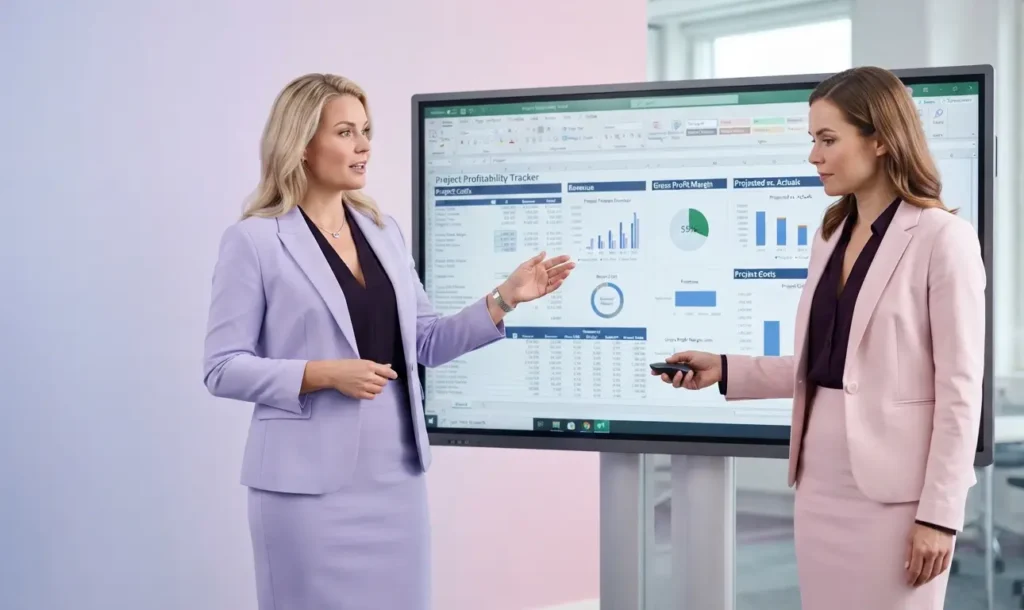
Download Project Profitability Excel Template
Download the project profitability tracker Excel template to monitor project costs, compare budget vs actuals, forecast profit, and track project margins in one practical workbook.
Project Profitability Tracker
Editable Excel workbook for project cost and profit analysis.
Download Template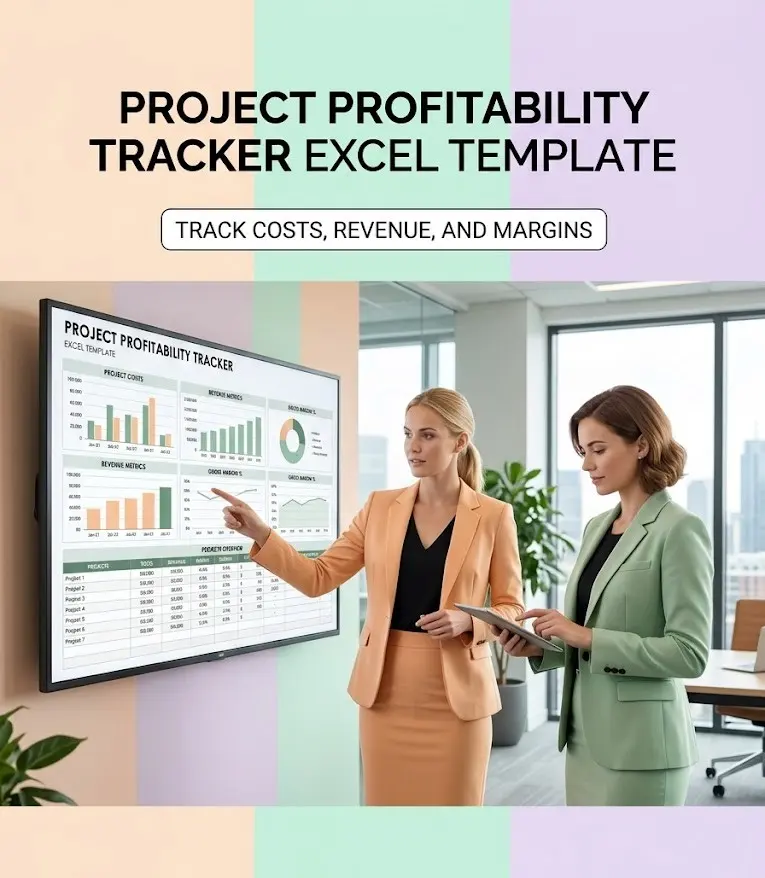
Frequently Asked Questions About the Project Profitability Excel Template
Find clear answers about using this project profitability tracker Excel template to monitor project costs, compare budget vs actual performance, forecast profit, and analyse project margins.
Understand your project numbers before they become problems.
These FAQs explain what the workbook tracks, how project profitability is calculated, and how the template can support project managers, consultants, business owners, and finance teams.
What is a project profitability Excel template?
A project profitability Excel template is a ready-to-use workbook for tracking project revenue, budgeted costs, actual expenses, forecast costs, project profit, and profitability margins. It helps compare the original project plan with actual performance and estimate the likely financial result.
What can I track using this project profitability tracker?
You can track contract revenue, project budgets, employee or team hours, billing rates, labour costs, other project expenses, actual costs, remaining estimated costs, forecast total cost, project profit, and profit margin.
Can this Excel template compare project budget vs actual costs?
Yes. The project budget vs actual section compares planned or approved project costs with actual costs incurred. It helps identify cost variances, overspending, unused budgets, and areas that require management attention.
How is project profitability calculated in Excel?
Project profit is generally calculated by subtracting total project cost from project revenue:
Project profit margin is calculated by dividing project profit by project revenue and multiplying the result by 100.
What is forecast at completion in project profitability analysis?
Forecast at completion, or EAC, estimates the total cost expected when the project is finished. It normally combines actual project costs incurred to date with the estimated remaining cost.
Can this project profitability spreadsheet identify cost overruns?
Yes. By comparing budgeted costs, actual costs, and forecast total costs, the workbook can highlight cost overruns and potential margin erosion before the project is completed.
Who can use this project profitability Excel template?
The template can be used by consultants, agencies, contractors, project managers, professional service firms, small businesses, operations teams, accounts professionals, and finance managers who need to monitor project-level financial performance.
Is this project profitability tracker suitable for fixed-fee projects?
Yes. It is particularly useful for fixed-fee projects because the agreed revenue remains relatively fixed while project costs may increase. Tracking actual and forecast costs helps estimate whether the project will remain within budget and achieve the expected margin.
How often should I update the project profitability workbook?
Update the workbook whenever meaningful project costs, billable hours, invoices, or scope changes occur. For active projects, a weekly update is often useful, while larger or high-risk projects may require more frequent monitoring.
Can I customise this project cost and profitability Excel template?
Yes. You can adapt the workbook by adding project-specific cost categories, changing billing or cost assumptions, adding internal reporting fields, and modifying the analysis to suit your business model. Keep the underlying formulas consistent when making changes.
Does this Excel template guarantee accurate project profit?
No. The workbook provides estimates based on the information entered by the user. The accuracy of project profit and margin depends on the completeness of the revenue, cost, hours, and forecast assumptions. Actual results may change due to scope revisions, delays, pricing changes, or unexpected expenses.

Explore More Excel Templates for Finance & Business
Take your finance and business analysis further with our collection of free Excel templates, financial models, and practical finance tools. Each resource is designed for a specific business or finance use case to simplify calculations, organize information, and support better decision-making.
Explore tools for financial statements, ratios, project finance, budgeting, forecasting, cash flow analysis, loan calculations, investment evaluation, and business planning—all ready to adapt to your own requirements.
SME Financial Excel Templates & Utilities
- ROI Excel Template (Free Download) – Financial Model
- SME Financial Dashboard Excel Template (Free KPI Tracker)
- Free Financial Model Excel Template -Track Your Business KPI
- 13 Week Cash Flow Forecast Excel Template – Track Cash Weekly
- Free Startup MIS Dashboard Excel Template with KPI Dashboard
- Budget vs Actual Excel Template (Free Download) for SMEs
- Accounts Receivable and Payable Tracker Excel Template – Free
- Payroll Salary Register Excel Template (Free Download)
- Bid Evaluation Financial Model Excel Template (Free Download)
- BESS Financial Model Excel Template – Free Project Finance Model
- Free DSCR Debt Sculpting Excel Template | Project Finance Model
- Inventory Management Excel Template – Free Download
- Break Even Analysis Excel Template – Free Excel Download
- Monthly Financial Statement Excel Template with Ratios
- Financial Ratio Analysis Excel Template – 28+ Ratios
- Vendor Financial Due Diligence Excel Template | Risk Assessment
- GST Invoice Template Excel – Automatic GST Invoice Generator
- Product Pricing Excel Template – Calculate Selling Price & Profit
- Working Capital Calculator Excel Template – Free Download
- Make or Buy Decision Excel Template – Free Download

YOUR NEXT FINANCE TEMPLATE STARTS HERE
Disclaimer
This Project Profitability Excel Tracker is provided for educational, analytical, financial planning and project management purposes only. The template uses user-entered project information, contract revenue, budgets, labour hours, billing rates, employee or team costs, direct expenses, actual costs, estimated remaining costs, project timelines and other assumptions to calculate and present indicative project profitability, cost variances, forecast costs, profit margins and related project financial metrics.
The project profitability calculations, budget vs actual analysis, project cost variance, forecast at completion, estimated project profit, profit margin, margin erosion indicators, revenue analysis and other information generated by the template are based on the assumptions and data entered by the user and may not reflect actual project performance or final financial results. Users should independently verify project budgets, revenue, invoices, labour hours, cost records, scope changes, billing terms, outstanding commitments, estimated remaining costs and other relevant assumptions before relying on the results. Actual project costs, revenue recognition, profitability, cash flows, margins and financial outcomes may vary due to delays, changes in scope, resource utilisation, pricing, billing arrangements, unexpected expenses and other business circumstances.
The template does not constitute financial, accounting, investment, tax, legal, project management or professional advice. It does not guarantee project profitability, cost savings, financial accuracy or the achievement of any specific margin. Users remain responsible for reviewing the calculations, validating the inputs and evaluating the suitability of any project pricing, budgeting, cost-control or management decision for their specific business circumstances.