
GSTR-2B Isn’t Just Another Report. Here’s the AI-Assisted GST Reconciliation Workflow I Use to Find ITC Mismatches Before They Become a Bigger Problem.
This is how I approach monthly GST reconciliation between the purchase register and GSTR-2B — four practical steps, the exact ChatGPT prompts I use, and a worked ITC mismatch example explained line by line.
GST reconciliation has become much more than a routine month-end exercise. Your books may show a perfectly valid purchase invoice, but that does not automatically mean the corresponding ITC will appear in GSTR-2B for the same period. GSTN also uses the difference between ITC available in GSTR-2B and ITC claimed in GSTR-3B as part of its automated DRC-01C compliance process, subject to the applicable system thresholds.
That is where ChatGPT for GST reconciliation can be useful. I don’t use it to decide whether an ITC claim is valid. I use it to do the repetitive matching work faster — comparing invoice details, grouping likely mismatches, and helping frame the questions that need to go back to the supplier or internal team. The actual tax judgement stays with the finance or tax professional. In this guide, I’ll walk through the four-step workflow, the prompts behind it, and a real-style ITC mismatch example so you can see how the process works in practice.
📑 Table of Contents
- 01Why GSTR-2B Matters in ITC Reconciliation
- 02The Four-Step GST Reconciliation Workflow
- 03Step 1 — Get the Purchase Register and GSTR-2B Ready
- 04Step 2 — Use ChatGPT to Match Invoices
- 05Step 3 — Sort ITC Mismatches into Actionable Categories
- 06Step 4 — Follow Up on Missing or Mismatched Invoices
- 07Where AI-Assisted GST Reconciliation Can Go Wrong
- 08Worked Example: An ITC Mismatch
- 09Frequently Asked Questions
- GSTR-2B is central to your ITC reconciliation. It is the system-generated statement that shows the ITC communicated through supplier filings and other specified sources. But it should be reconciled with your purchase register, books and the underlying invoices rather than treated as a standalone decision-maker.
- Timing matters. GSTR-2B is a static statement for the tax period, and the GST portal specifically advises taxpayers to reconcile the statement with their own records before taking and reporting ITC.
- AI can make the matching work much faster. It can help compare invoice numbers, GSTINs, dates and tax amounts, group likely mismatches and prepare follow-up questions. It cannot decide whether a particular mismatch is a timing issue, a supplier error or an eligible ITC claim.
- The final check still belongs to the tax or finance professional. Even where an invoice appears in GSTR-2B, other GST conditions can affect ITC eligibility. The GST portal itself cautions taxpayers to self-assess and reverse credit where required under other provisions.
Why GSTR-2B Matters in ITC Reconciliation
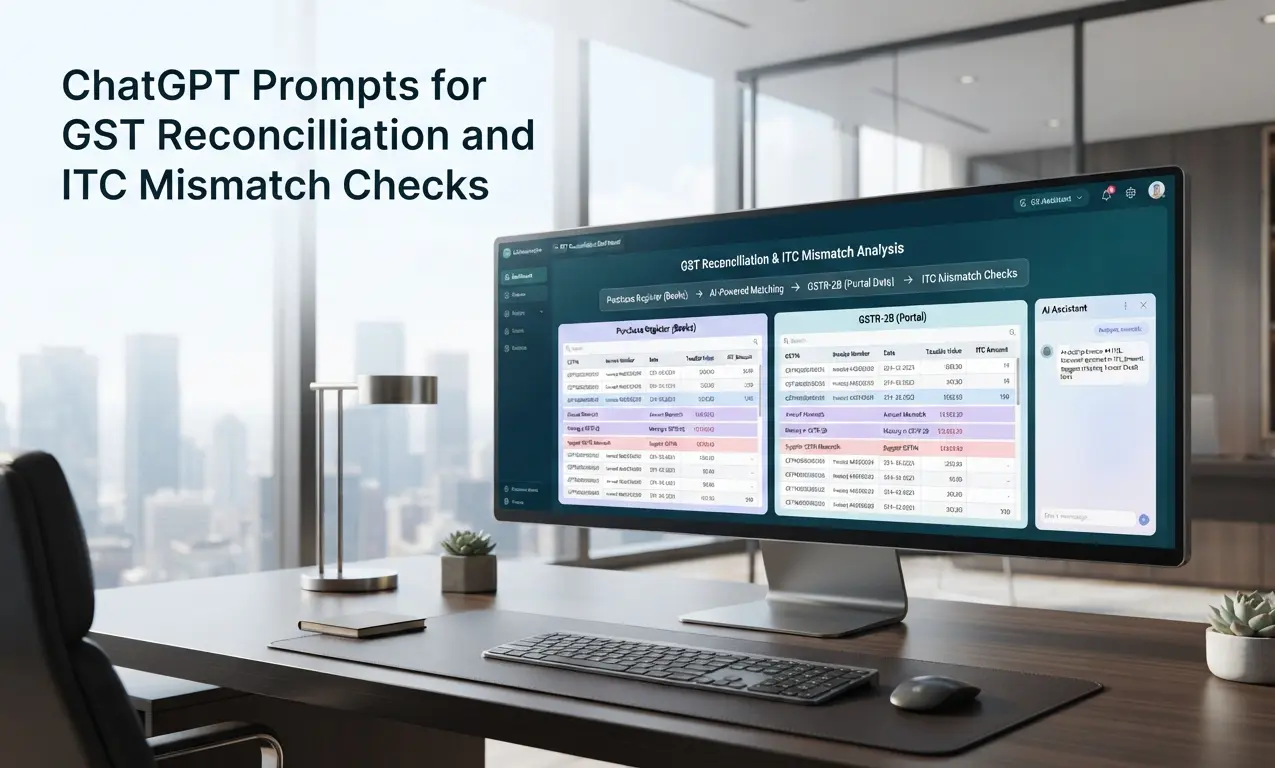
Before using ChatGPT for GST reconciliation, it is important to understand what you are actually comparing. Your purchase register shows the invoices recorded in your books. GSTR-2B shows the ITC information communicated through the GST system for the relevant tax period. The two reports do not always match, and that difference is what the reconciliation process needs to explain.
GSTR-2A and GSTR-2B are not the same thing. GSTR-2A is a dynamic statement, so it can change when suppliers upload or amend their documents. GSTR-2B is a static, system-generated ITC statement for a particular tax period. For monthly taxpayers, GSTR-2B is generated on the 14th of the following month based on the information available within the applicable cut-off. GSTN advises taxpayers to reconcile GSTR-2B with their own books and records before taking ITC.
This is why GSTR-2B reconciliation is an important part of the monthly ITC process. If an invoice appears in your purchase register but is missing from GSTR-2B, you need to find out why. It could be a supplier filing or timing issue, an incorrect GSTIN, an invoice-number difference or another data issue. Similarly, an invoice appearing in GSTR-2B but not in your purchase register also needs to be investigated. The purchase register, original invoice, GSTIN, taxable value, tax amount and nature of the transaction all need to be checked before deciding how the item should be treated.
The Invoice Management System (IMS) adds another step to this process. Depending on the record, the recipient can take actions such as accept, reject or keep it pending. If you make or change an IMS action after the draft GSTR-2B has been generated, GSTN’s current guidance requires you to recompute GSTR-2B before filing GSTR-3B so that the updated information is reflected correctly.
So, instead of looking only at the total ITC in GSTR-2B, a useful reconciliation should answer a few practical questions: Which invoices match? Which invoices are missing? Where do the taxable value or tax amounts differ? Which differences are simply timing issues? Which items need an IMS action? And which suppliers need to be contacted? This is where AI for GST reconciliation can save time by helping organise and analyse the repetitive part of the work.
There are also transactions that should not be treated as ordinary GSTR-2B mismatches. Reverse charge transactions need separate consideration. GSTN’s guidance, for example, notes that reverse-charge credit relating to import of services is not part of GSTR-2B and is handled separately in GSTR-3B. QRMP taxpayers also follow a different GSTR-2B cycle: the official FAQ states that GSTR-2B is not generated for the first two months of the quarter, with the quarterly statement generated on the 14th of the month following the quarter.
The simple way to look at it is this: your purchase register tells you what is recorded in your books, GSTR-2B tells you what is reflected in the GST system, and reconciliation explains the difference between the two. ChatGPT can help you find and organise those differences faster, but the final GST assessment still needs to be made by the finance or tax professional.
Pro tip
Build the reconciliation habit around the 14th of the month, not the GSTR-3B filing deadline. For monthly taxpayers, GSTR-2B is generated on the 14th, giving you time to identify missing invoices, check unusual differences and follow up with suppliers before the return is due. Leaving the reconciliation until filing day turns manageable mismatches into a last-minute fire drill.
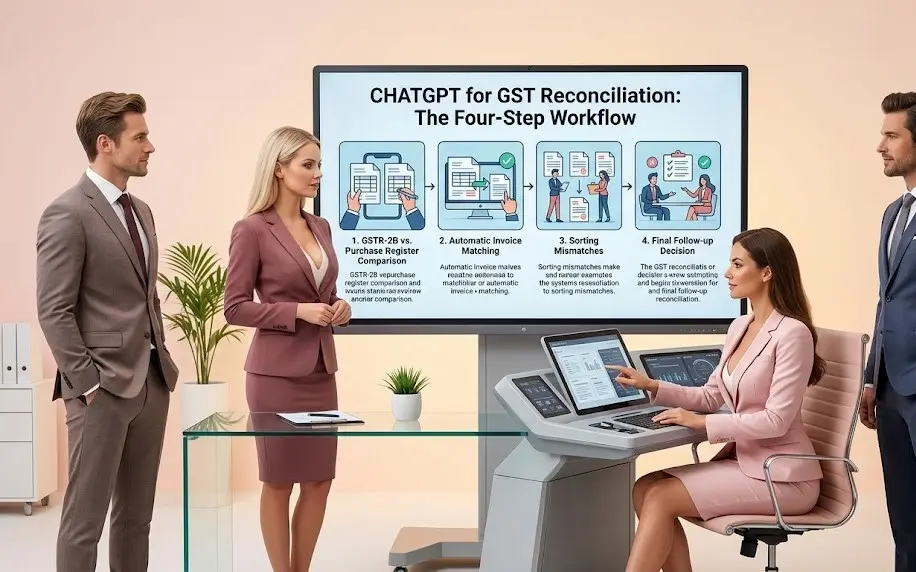
ChatGPT for GST Reconciliation: The Four-Step Workflow
Once GSTR-2B and your purchase register are ready, the process is fairly straightforward: get both sides into a usable format, match the invoices, sort the differences into meaningful categories, and then decide what needs follow-up. This is where ChatGPT for GST reconciliation can save time. It can help with the repetitive matching and sorting work, but the decision about whether a mismatch is a timing issue, a supplier error or a genuine ITC problem still needs human review.
Step 1 — Get Both Sides Ready to Compare
Your purchase register and downloaded GSTR-2B will usually have different column names and layouts. GSTR-2B also contains different tables for different types of records. Before you can do any useful GST ITC reconciliation, both datasets need to be brought into a common working format. This preparation is often more time-consuming than it looks.
What changesInstead of figuring out the structure from scratch every month, I give ChatGPT the column headings from both sources and ask it to create a common reconciliation format. Once that structure works for my data, I keep it as a repeatable monthly process. The idea is simple: standardise first, match second.
The promptStep 2 — Match Invoice by Invoice
Matching a few hundred purchase invoices against GSTR-2B one by one can easily consume an afternoon. You are checking the supplier GSTIN, invoice number, invoice date, taxable value and tax amounts repeatedly, while trying not to miss a small difference hidden somewhere in the list.
Where AI helpsThis is where I find AI for GST reconciliation most useful. I provide the two formatted datasets with only the fields needed for the reconciliation and ask AI to identify likely matches and separate the exceptions. I avoid uploading unnecessary business or commercially sensitive information. The output is a first-pass reconciliation, not the final ITC decision.
What I paste inCHECK
REQ’D
What I Still Check by Hand
AI can produce a very useful first-pass match, but I still review the exceptions manually. A typo in an invoice number, a different invoice-number format, a duplicate-looking entry or a supplier amendment can create a false match or false non-match. I therefore trace every important exception back to the original purchase register, invoice and GSTR-2B record before deciding what action is required.
Step 3 — Sort the Mismatches into Real Categories
Once the invoice matching is done, the unmatched items still need to be understood. A missing GSTR-2B entry may simply be a timing difference. A value mismatch may need a supplier check. An invoice appearing in GSTR-2B but not in the purchase register may need to be investigated separately. And some transactions may require a specific GST eligibility review, such as potentially blocked credit under Section 17(5). Treating every difference as the same problem creates unnecessary follow-up.
AI’s partI use ChatGPT to organise the exceptions into likely categories based on the information available in the reconciliation data. It is a sorting exercise, not a tax conclusion. If the available information is not enough to determine the reason, I want AI to say “Unclear” rather than fill the gap with a guess. I then review the important items against the invoice, books and applicable GST provisions.
What I ask forStep 4 — Follow Up on Missing or Mismatched Invoices
Once the genuinely missing invoices have been confirmed, someone still has to contact each supplier. It is usually the same short email every month: the invoice is in our books, it is not appearing in GSTR-2B, and the supplier needs to check whether it has been reported correctly. When you have a long supplier list, writing these messages one by one becomes another repetitive month-end task.
With AIOnce I have reviewed and confirmed the follow-up list, I use AI for GST reconciliation to draft the supplier messages. I give it only the confirmed details, review the wording, add any context the supplier needs, and then send the email. AI handles the drafting; I decide who actually needs to be contacted and what needs to be said.
The email promptWhere AI-Assisted GST Reconciliation Can Go Wrong
Three mistakes are particularly easy to make when you start using AI in GST reconciliation. First, treating “missing from GSTR-2B” as automatically being the supplier’s fault. It may be a supplier filing or timing issue, but it could also be a wrong GSTIN, an invoice-number mismatch, an amendment or an error in your own purchase register. AI can identify the pattern; it cannot establish the reason without checking the underlying records.
Second, forgetting the Rule 37A follow-up. An invoice appearing in GSTR-2B does not by itself remove the need to monitor whether the supplier has furnished the corresponding GSTR-3B. Where the supplier has not furnished that return by 30 September following the end of the relevant financial year, the recipient is required to reverse the corresponding ITC in a GSTR-3B filed on or before 30 November following the end of that financial year. If the reversal is not made by the prescribed date, the amount becomes payable with applicable interest.
Third, putting RCM transactions into the ordinary GSTR-2B follow-up bucket. Not every reverse-charge transaction is expected to appear in GSTR-2B in the same way as ordinary supplier-reported invoices. For example, GSTN specifically notes that reverse-charge credit on import of services is not part of GSTR-2B and is reported separately in GSTR-3B. So before asking a supplier why an invoice is “missing,” check whether the transaction actually belongs in the normal GSTR-2B reconciliation in the first place.
The bigger lesson is simple: AI should help you investigate a mismatch, not decide what the mismatch means. A good reconciliation process gets you from hundreds of raw exceptions to a short list of items that a tax professional can actually review and act on.
A Real Mismatch, Worked Through
A client’s purchase register showed ₹18,50,000 of ITC for the month, while GSTR-2B showed ₹17,20,000 for the same period. That left a ₹1,30,000 difference — large enough to investigate rather than simply carry forward as an unexplained variance.
The Step 3 categorisation helped break that ₹1,30,000 into three separate issues. Two invoices totalling ₹85,000 were in the purchase register but missing from GSTR-2B. After checking the underlying records and the supplier details, these were confirmed as invoices that the suppliers had not yet reported. A further ₹30,000 invoice appeared on both sides but had a different taxable value. The difference was traced to a reporting error that required supplier-side correction.
The remaining ₹15,000 was flagged as a potential ITC eligibility issue requiring a Section 17(5) review. The underlying transaction was a motor vehicle insurance premium, so the finance team checked the nature and use of the vehicle and the applicable ITC restrictions before deciding that the credit should be reversed.
So one ₹1,30,000 reconciliation gap actually contained three different problems and three different actions: supplier follow-up for the missing invoices, a correction request for the value mismatch, and a tax review followed by reversal for the potentially blocked credit. That is where the AI-assisted workflow becomes useful. It does not make those decisions for you; it gets the exceptions organised so that the finance or tax professional can reach the right records and make the decision much faster.
The Matching Is the Easy Part. Knowing Which Mismatch Actually Needs Attention Is the Real Work.
ChatGPT for GST reconciliation earns its place by handling the repetitive parts of the workflow — preparing the data, matching invoices, sorting exceptions and drafting supplier follow-ups. But it does not get to decide whether a missing invoice is a supplier filing issue, a timing difference, an eligibility problem or simply an error in your own records. That judgement still belongs with the finance or tax professional. The real benefit of AI is not replacing that judgement; it is getting you to the right exceptions faster, so you can spend your time reviewing the items that actually need attention.