Why Most SMEs Struggle Without a Financial Model
Many small businesses track sales, expenses, and profits regularly, but still struggle to answer one simple question — what will happen next?
This gap between past data and future decisions is where most financial problems begin. Without a structured financial model for SMEs, business owners often rely on assumptions instead of numbers, especially when planning growth, hiring, or investing.
A financial model brings clarity. It connects your revenue, costs, and cash flow into a single view and helps you understand how your business will perform under different scenarios. When built correctly in Excel and supported with AI-driven forecasting, it becomes a practical tool for decision-making rather than just a reporting sheet.
In this guide, you will learn how to build a financial model for SMEs using Excel and AI, step by step, in a way that is simple, practical, and aligned with real business needs.
What is a Financial Model for SMEs
A financial model for SMEs is simply a way to understand what will happen to your business before it actually happens.
Instead of guessing, you put your numbers together — how much you sell, what it costs you, and when cash comes in and goes out — and see how the business behaves over the next few months.
Most small businesses already track revenue and expenses. But the problem is, they don’t connect these numbers to decisions. That’s why surprises happen — especially around cash flow.
For example, you might increase marketing and expect higher sales. A financial model helps you see:
- how much revenue that might actually generate
- how costs will increase
- and whether your cash position can handle it
If your assumptions are off, the model will show it early — before it becomes a real problem.
👉 In simple terms, it’s a tool that helps you think through your business decisions using numbers instead of guesswork.
Why Financial Modeling is Critical for Small Business Growth
For most SMEs, growth decisions are taken based on opportunity rather than financial clarity. A new product launch, expansion into a new market, or increased marketing spend often looks promising — but without a structured financial model for SMEs, it is difficult to assess whether the business can actually sustain that growth.
This is where financial modeling becomes critical. It shifts decision-making from assumptions to numbers. Instead of asking “Can we grow?”, a business can evaluate “Can we grow profitably and sustainably?”
One of the biggest challenges in financial modeling for small business is managing cash flow during growth. Revenue may increase, but so do expenses — and often faster. Without proper planning, this can lead to liquidity pressure even in a growing business.
A well-built model helps answer key questions:
- Will increased sales translate into actual profit?
- How much working capital is required to support growth?
- At what point will the business break even on new investments?
With the support of AI financial forecasting, SMEs can go a step further by identifying patterns in historical data and improving the accuracy of projections. This allows business owners to prepare not just for expected growth, but also for potential risks.
In practical terms, financial modeling is no longer optional. It is a core requirement for any SME that wants to grow with control, rather than uncertainty.
Where Most SME Financial Models Go Wrong
Most SME financial models fail not because of Excel errors, but because the assumptions behind them are never questioned.
In practice, the problem is not building the model — it is trusting it blindly.
A few patterns show up consistently across small businesses:
- Revenue is projected with optimistic growth without validating capacity or demand
- Profit is tracked, but cash flow timing is ignored
- Costs are assumed stable, even when scaling increases operational complexity
- Models are created once and never updated with actual performance
The result is predictable. The model shows growth and profitability, but the business starts facing pressure in real operations — especially in cash flow.
A financial model for SMEs should not confirm your expectations. It should challenge them.
👉 This is where most businesses go wrong — and where better modeling creates real advantage.
Key Components of a Financial Model (Revenue, Costs, Cash Flow)
A financial model for SMEs is only as effective as the structure behind it. At a practical level, every model is built around three core components — revenue, costs, and cash flow — which together determine the financial health of a business.
Revenue is the starting point. It is not just a number, but a function of business drivers such as pricing, volume, customer acquisition, and market demand. In financial modeling for small businesses, revenue projections must be realistic and based on clear assumptions rather than optimistic estimates.
Costs form the second layer. These typically include:
- Fixed costs such as rent, salaries, and utilities
- Variable costs linked directly to sales or production
- Semi-variable costs that change with scale
Understanding this structure is essential because profitability depends on how costs behave as the business grows.
Cash flow is the most critical component. Even profitable businesses can face challenges if cash inflows and outflows are not aligned. A strong model tracks when money actually comes in and goes out, not just when revenue is booked.
With the integration of AI in financial forecasting, these components can be analyzed more effectively. AI can help refine assumptions, detect trends, and highlight potential gaps in cash flow or profitability.
Together, these three elements create a complete financial picture, enabling SMEs to plan, test, and refine their business strategies with greater confidence.
Step-by-Step: Build a Financial Model in Excel
Building a financial model for SMEs in Excel does not require complex formulas or advanced finance knowledge. What matters is structure, clarity, and logical flow. A well-built model should allow you to change assumptions and instantly see the impact on revenue, costs, and cash flow.
The process begins with defining your key assumptions. These include expected sales volume, pricing, growth rate, and cost behavior. In financial modeling for small business, assumptions should be realistic and based on past data or market understanding, not optimistic projections.
Once assumptions are in place, the next step is to create separate sections in Excel:
- Revenue sheet → linked to business drivers
- Cost sheet → fixed and variable expenses
- Cash flow sheet → inflows and outflows
- Summary sheet → profit, cash position, and key metrics
The strength of an Excel financial model lies in linking these sheets. When revenue changes, costs and cash flow should update automatically. This creates a dynamic model that reflects real business scenarios.
At this stage, many SMEs struggle with manual calculations and static projections. This is where AI tools can support financial modeling by helping refine assumptions, suggest growth trends, and validate projections based on available data.
A simple but structured Excel model is far more effective than a complex one that is difficult to update or understand.
Revenue Forecasting for SMEs (Top-Down vs Bottom-Up + AI Insights)
Revenue forecasting is the foundation of any financial model for SMEs, yet it is also one of the most commonly miscalculated areas. Many businesses either overestimate growth or rely on guesswork, which directly impacts planning and decision-making.
There are two widely used approaches in financial modeling for small business — top-down and bottom-up.
The top-down approach starts with the overall market size and estimates the share your business can capture. While this method is useful for strategic planning, it often lacks precision for day-to-day financial modeling.
The bottom-up approach, on the other hand, is more practical. It builds revenue projections based on actual business drivers such as:
- Number of customers
- Average order value
- Conversion rates
- Sales capacity
This makes it more reliable for SMEs, as it reflects real operational data rather than broad assumptions.
However, even bottom-up forecasting can be limited when patterns are not clearly visible. This is where AI in financial forecasting adds significant value. AI tools can analyze historical sales data, identify trends, and adjust projections based on seasonality or growth patterns.
For example, AI can help answer:
- Which months typically generate higher revenue
- Whether growth is consistent or volatile
- How realistic your targets are based on past performance
By combining structured Excel modeling with AI-driven insights, SMEs can build revenue forecasts that are both practical and data-backed.
Cost Structure and Cash Flow Planning (With AI-Based Analysis)
While revenue drives growth, it is the cost structure and cash flow that determine whether a business can sustain that growth. Many SMEs focus heavily on increasing sales but underestimate how costs behave as operations scale. This imbalance is one of the most common reasons why profitable businesses still face financial stress.
In a practical financial model for SMEs, costs should not be treated as a single number. They must be broken down into categories that reflect how they behave:
- Fixed costs that remain stable regardless of sales volume
- Variable costs that increase directly with revenue
- Semi-variable costs that change in stages as the business grows
Understanding this structure helps in identifying how profitability changes at different levels of revenue.
Cash flow planning adds another critical layer. Unlike profit, which is calculated on paper, cash flow reflects the actual movement of money. Delays in customer payments, upfront expenses, or inventory cycles can create gaps even when the business appears profitable.
This is where AI-based financial analysis can improve visibility. By analyzing historical patterns, AI can help identify:
- Periods of potential cash shortages
- Mismatch between inflows and outflows
- Cost trends that may impact margins
When cost behavior and cash flow are clearly modeled, SMEs can plan growth with greater control rather than reacting to financial pressure.
Example: Profit Looks Strong, But Cash Flow Fails
Consider a small business projecting ₹10 lakh monthly revenue with a 15% growth rate.
On paper, the model shows:
- Increasing revenue
- Stable profit margins
- Positive annual outlook
However, customers pay after 60 days, while expenses such as salaries and rent are paid within 30 days.
By Month 3:
- Revenue looks strong in the P&L
- Cash inflow is delayed
- Expenses continue regularly
Result:
👉 The business becomes cash negative despite being “profitable”
This is a common failure point in financial modeling for small businesses — confusing profit with actual cash availability.
A well-structured model should highlight this gap before it becomes a real problem.
Building P&L, Cash Flow, and Balance Sheet in Excel
A complete financial model for SMEs goes beyond individual projections and integrates all financial elements into structured statements. This is where the model becomes a true decision-making tool rather than just a planning exercise.
The first component is the Profit and Loss (P&L) statement. It summarizes revenue, costs, and resulting profit over a period. In financial modeling for small business, the P&L helps assess whether operations are generating sustainable margins.
The second component is the cash flow statement. Unlike the P&L, it tracks the actual movement of cash, showing when money is received and spent. This is critical because timing differences between revenue and cash inflows can significantly impact liquidity.
The balance sheet completes the structure by providing a snapshot of the business’s financial position. It includes assets, liabilities, and equity, helping SMEs understand their overall financial stability.
In Excel, these statements should be interconnected. Changes in revenue or costs should automatically reflect in profit, cash flow, and balance sheet figures. This integration ensures that the model remains dynamic and realistic.
With the support of AI in financial modeling, these connections can be further refined. AI tools can validate assumptions, highlight inconsistencies, and improve the reliability of projections across all statements.
Once these core financial statements are in place, the model is ready to be used for deeper analysis — particularly scenario planning and decision-making.
Scenario Analysis for Better Business Decisions (Using AI Tools)
A financial model becomes truly valuable when it is used to test decisions before they are implemented. This is where scenario analysis plays a critical role in a financial model for SMEs. Instead of relying on a single projection, businesses can evaluate multiple outcomes and prepare for uncertainty.
In financial modeling for small business, three common scenarios are typically considered — best case, worst case, and a realistic base case. Each scenario is built by adjusting key assumptions such as revenue growth, cost increases, or payment cycles.
For example, a business planning expansion can test:
- What happens if revenue grows slower than expected
- How increased costs impact profitability
- Whether cash flow remains stable under pressure
This approach helps reduce risk by highlighting potential challenges before they occur.
With the integration of AI tools in financial forecasting, scenario analysis becomes more dynamic. AI can simulate multiple combinations of variables, identify patterns, and suggest outcomes that may not be immediately visible through manual modeling.
Instead of reacting to financial surprises, SMEs can proactively plan for them. This makes decision-making more structured, especially in uncertain market conditions.
Use AI Like a CFO: Smart AI Prompts to Improve Your Excel Financial Model
Once your financial model is ready in Excel, you can use AI as a CFO or financial analyst to review each part of your model and improve decision-making. Replace the inputs with your actual data and use these prompts directly.
Revenue Sheet – Validate Growth Assumptions
“Act as a CFO reviewing an SME financial model. I am sharing my revenue sheet which includes monthly customers, average order value, and projected growth rate. Evaluate whether my growth assumptions are realistic for a small business. Identify any overestimation, adjust the assumptions if required, and provide a revised 12-month revenue forecast along with the impact on total revenue and break-even timeline.”
Cost Sheet – Improve Cost Efficiency
“Act as a financial analyst reviewing my cost structure. My model includes fixed costs such as rent and salaries, and variable costs linked to revenue. Analyze whether my cost structure is efficient at this stage of business. Identify areas where costs can be optimized without impacting growth, and show how these changes will improve overall profitability.”
Cash Flow Sheet – Detect Timing Issues
“Act as a CFO analyzing my cash flow sheet. My model includes monthly inflows and outflows along with receivable and payable days. Identify the months where cash balance may become negative or critically low. Explain the reason for the shortfall and suggest specific actions such as improving collections, adjusting payment cycles, or controlling expenses, along with the expected impact.”
Scenario Sheet – Stress Test the Model
“Act as a financial strategist and perform scenario analysis on my financial model. Run three cases: base case, revenue reduced by 20%, and costs increased by 15%. Compare the impact on profit and cash flow in each case. Identify which variable creates the highest financial risk and recommend what the business should control first.”
Summary Dashboard – Get Decision Insights
“Act as a CFO reviewing my financial dashboard which includes revenue growth, profit margins, and cash flow position. Identify the biggest financial weakness in my business. Recommend three high-impact actions that can improve financial performance over the next 90 days, and explain the expected financial impact of each action.”
Key Points to Remember
- A financial model for SMEs is a decision-making tool, not just a reporting sheet
- Revenue projections should be based on real business drivers, not assumptions
- Profit does not guarantee stability — cash flow timing is critical
- Costs must be structured properly (fixed vs variable) to understand true margins
- Scenario analysis helps you prepare for uncertainty and risk
- A financial model is only as reliable as the assumptions behind it
- AI can help you validate assumptions, test scenarios, and identify risks faster
- Regular updates are essential — a static model quickly becomes irrelevant
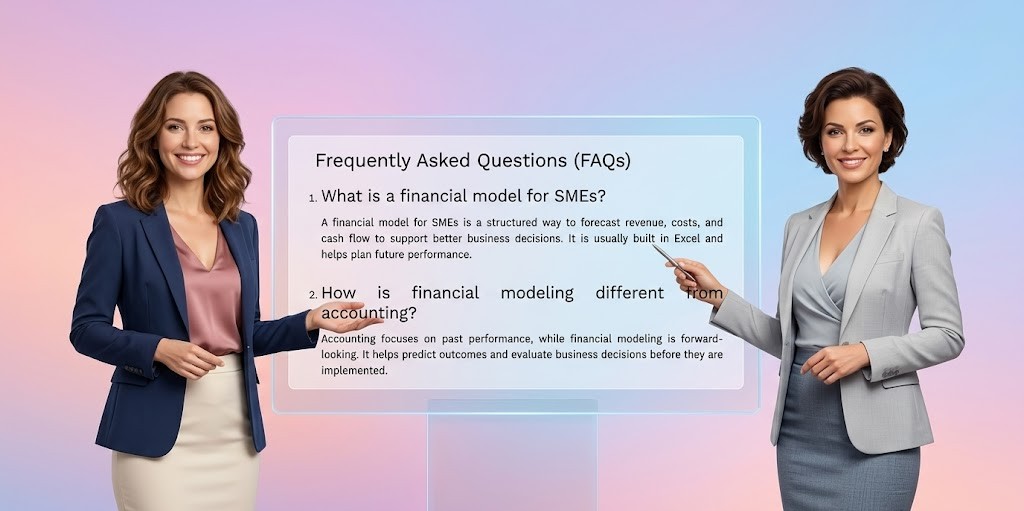
Frequently Asked Questions (FAQs)
What is a financial model for SMEs?
A financial model for SMEs is a structured way to forecast revenue, costs, and cash flow to support better business decisions. It is usually built in Excel and helps plan future performance.
How is financial modeling different from accounting?
Accounting focuses on past performance, while financial modeling is forward-looking. It helps predict outcomes and evaluate business decisions before they are implemented.
Do small businesses really need a financial model?
Yes. Even small businesses benefit from financial modeling because it improves planning, reduces risk, and provides clarity on cash flow and profitability.
Can I build a financial model without finance expertise?
Yes. A basic financial model can be built using Excel with simple assumptions. The key is structure and logic, not complexity.
How can AI help in financial modeling?
AI can analyze data, validate assumptions, run scenarios, and highlight risks quickly. It acts as a support tool to improve decision-making.
Templates & Tools for Better Financial Planning
To apply financial modeling effectively, use structured templates designed for SMEs:
- Advanced SME financial model Excel template – Forecast revenue, plan costs, and test business scenarios
- SME financial dashboard (basic template) – Track revenue, profit, and cash flow in real time
👉 Use the financial model for planning and the dashboard for tracking performance.
Explore More Finance & Investment Tools
For additional tools and calculators, explore:
👉 Finance & Investment Tools Hub (Toolsuite)
This hub includes resources for:
- investment planning
- financial analysis
- return evaluation
- personal finance decisions
👉 These tools complement your efforts to improve business liquidity and manage finances more effectively.
Related Articles
- 10 Financial KPIs for SMEs You Must Track to Improve Cash Flow & Profit
Understand the key financial KPIs for SMEs that help you measure performance, control costs, and make better decisions. - How to Calculate ROI for Business Investments Using Excel and AI Analysis
Evaluate whether your business decisions are actually generating returns using structured ROI analysis. - Financial Dashboard for SMEs: Track Key Metrics with AI Insights
Build a simple system to monitor business performance and detect risks early using Excel and AI. - AI-Powered Financial Planning for SMEs: Models, Forecasting & Dashboards
Explore how AI can improve financial modeling, forecasting accuracy, and strategic planning. - Cash Flow Forecasting for Small Businesses Using Excel and AI
Final Words
A financial model is not about building complex spreadsheets — it is about gaining clarity over your business decisions.
Most SMEs don’t fail because they lack revenue. They struggle because they don’t fully understand how their numbers behave under real conditions. A well-structured financial model, supported by AI insights, helps you move from guesswork to informed decision-making.
Start simple. Focus on assumptions. Test your numbers regularly.
Because in the end, the strength of your model defines the quality of your decisions.
Disclaimer
This content is for informational purposes only and should not be considered financial advice. Please consult a professional before making any financial decisions.