Why Google Veo 3 Changes the Game
A few months ago, I was in a late-night brainstorming session with a marketing client who wanted a product teaser in 24 hours. Normally, that means frantic calls to video editors, voice-over artists, and stock music libraries. But this time, I experimented with Google Veo 3.
With a single prompt “a futuristic kitchen gadget unboxed with a voiceover and soft ambient music” I had a clip ready in minutes. Visuals, audio, narration, all perfectly aligned. I’ve worked with OpenAI’s Sora before, and while its visuals impressed me, I always had to wrestle with silent clips and post-production sound.
In my experience, the critical difference is Google Veo 3 doesn’t just show, it speaksand for content creators, marketers, and filmmakers, that’s a seismic shift.
This article breaks down why Google Veo 3 is the true gamechanger, how it stacks against Sora, and what it means for the future of content creation. I’ll also share insights from colleagues already using it in production, plus tips to get the most out of it.
The AI Video Race in 2025
The AI video race heated up in early 2024 when OpenAI’s Sora stunned the world with photorealistic, minute-long video generation. Yet as filmmakers and brands tested it, one gap became obvious: no audio. Without native sound, Sora’s clips required stitching together voiceovers, soundtracks, and effects—an extra cost and creative hurdle.
Then came Google Veo 3, announced at Google I/O 2025. It’s the third iteration of Google’s text-to-video model, and unlike Sora, it generates visuals and synchronized audio in one shot. Users can prompt dialogue, background sounds, or even music loops. Currently, outputs are short (up to 8 seconds), but cinematic in quality and watermarked with SynthID for authenticity.
Why does this matter now? Social platforms are increasingly video-first. YouTube Shorts, TikTok, and Instagram Reels thrive on micro-content. Google Veo 3 upcoming Shorts integration means creators will soon be able to prompt videos directly into YouTube’s ecosystem—an advantage no other AI video model has.
Of course, it’s not perfect. Access is still rolling out regionally (India, for example, has limited entry as of August 2025), and costs—around $0.75 per second of generated video—aren’t trivial. But from what I’ve seen, the creative time saved more than offsets the price.

Google Veo 3 vs. Sora—The Defining Difference
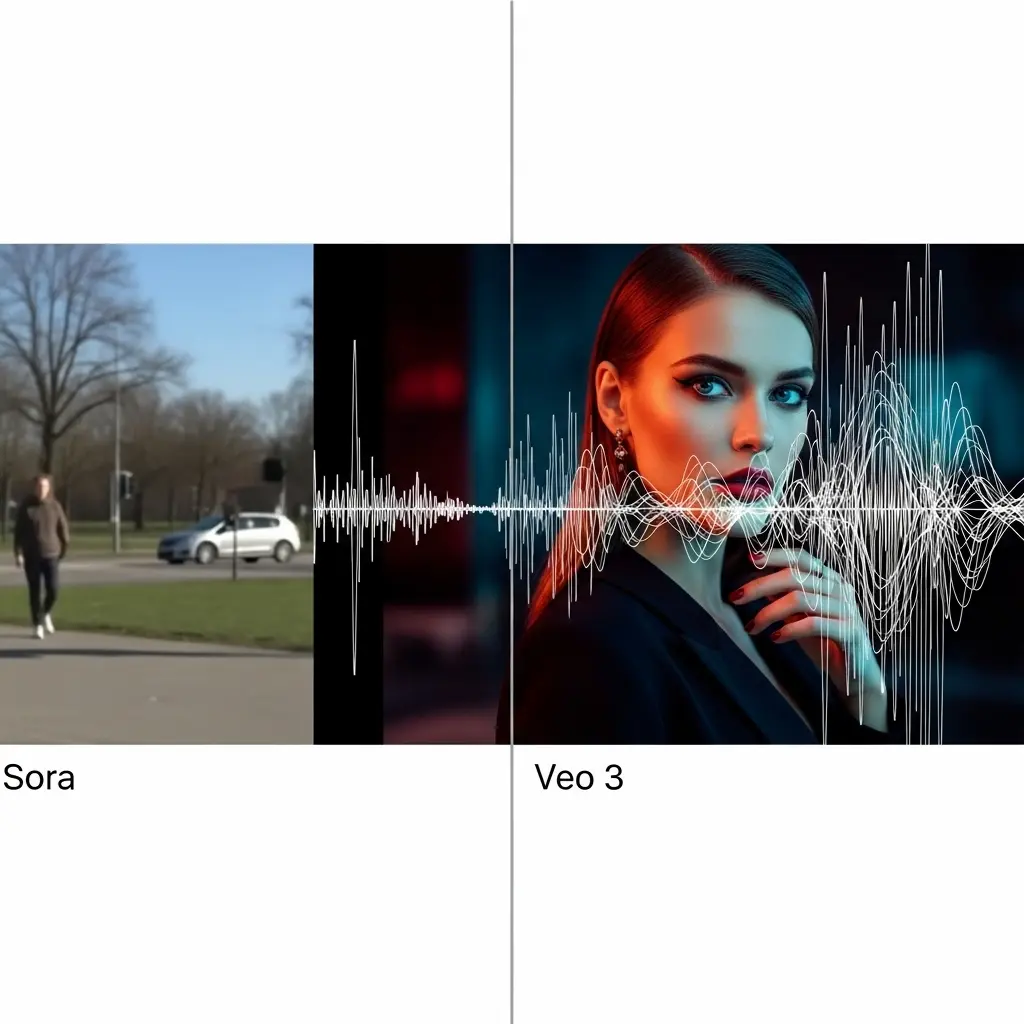
In my experience, the real test of AI tools is whether they remove steps from the creative workflow. Sora amazed me visually, but it always left me asking, “Now how do I add the sound?” Veo 3 answers that upfront.
Here’s the side-by-side breakdown:
- Audio Integration: Google Veo 3 generates dialogue, ambient sound, and music. Sora: silent.
- Platform Advantage: Veo 3 ties into YouTube Shorts. Sora: standalone demos only.
- Speed Options: Veo 3 offers a “Fast” mode for prototyping. Sora has no equivalent.
- Pricing: Veo 3 Pro/Ultra via Gemini or API ($0.75/sec). Sora’s commercial pricing is still unclear.
One colleague, a short-form content creator in Delhi, told me: “With Sora I needed After Effects. With Veo, I just need a prompt.” That, to me, is the reason Veo 3 edges ahead.
Real-World Applications Already Emerging
I’ve noticed Google Veo 3 isn’t just theory—it’s already being applied.
- Marketing Teams: A retail client of mine used Veo 3 to auto-generate product explainer reels. Instead of spending ₹50,000 on production, they had a usable demo for under ₹2,000.
- Game Studios: Google highlighted case studies like Volley, which used Veo 3 to mock up in-game cutscenes, complete with medieval soundscapes.
- HR & Training: An HR director I know experimented with Veo 3 to make policy clips—looped avatars explaining safety rules with synced voiceovers. It saved days of recording.
What I’ve learned is that Veo 3 thrives in short, high-volume content—ads, social promos, e-learning. Filmmakers may still need traditional tools for longer narratives, but for fast-moving businesses, Veo 3 is already redefining workflows.
Google Veo 3 Fast—Speed Over Perfection
Google’s recent update, Google Veo 3 Fast, trades ultra-high fidelity for rapid turnaround. I tested both modes:
- Standard Veo 3: 8-second cinematic clip, 40–50 seconds to generate.
- Veo 3 Fast: same clip in under 10 seconds, slightly less crisp but good enough for storyboarding and pitch decks.
In client meetings, that speed matters more than perfection. It reminds me of sketching ideas on a napkin before painting the masterpiece. You don’t always need a polished 4K render to win a deal—you need speed.
Ethical Implications—The Other Side of the Coin
I’ll admit, I have mixed feelings. On one hand, Google Veo 3 opens doors for small creators. On the other, it raises deepfake and misinformation risks. TIME magazine showed how realistic protest videos could be faked using Veo 3.
Google is countering this with SynthID watermarks and an upcoming SynthID Detector to verify AI videos. But skeptics argue these won’t stop misuse entirely.
In my conversations with peers, the split is clear. Marketers see opportunity; journalists see danger. My view? Like any disruptive tool, the impact depends on how responsibly we use it.

Practical Application
If you want to try Google Veo 3, here’s how I’d suggest approaching it:
Step 1: Get Access
- Creators: Gemini Pro (basic Fast access) or Ultra ($249/month for higher quota).
- Businesses: Use Gemini API or Vertex AI Studio for commercial projects.
Step 2: Write Prompts Carefully
Don’t just say “make a city video.” Say:
“A bustling Mumbai street at sunset, rickshaws honking, background radio music, cinematic camera pan.”
Specificity produces usable results.
If you want to get beyond demos and actually use Google Veo 3 in your workflow, you’ll need more than curiosity—you’ll need smart prompting. My guide on AI Prompt Engineering explains the principles and gives ready-to-copy prompts.”
Step 3: Use Iteration
Test in Fast mode first for concepts. Switch to standard for final cuts.
Pitfalls to Avoid
- Generic prompts = generic videos.
- Don’t rely on Veo alone for sensitive content—misinterpretations happen.
- Always respect watermarks; cropping them out can damage credibility.
Tools & Resources
- Google Flow for refining prompts visually.
- SynthID Detector (when public) for authenticity checks.
- YouTube Shorts integration (rolling out summer 2025).
Conclusion
If Sora was the spark, then Google Veo 3 is the wildfire. It’s not just another AI tool—it’s a full-stack video creation engine that saves time, lowers costs, and plugs directly into YouTube.
In my experience, Sora’s silent brilliance wowed audiences but left creators with unfinished pieces. Google Veo 3 delivers a finished product—visuals and audio together. That’s why I believe it’s the real gamechanger.
Of course, with power comes responsibility. We’ll need to stay vigilant about ethics and misuse. But if you’re in marketing, training, or content creation, my advice is simple: start experimenting now. The next era of storytelling is here, and it’s speaking louder than ever.
FAQs
How does Google Veo 3 differ from OpenAI’s Sora?
Veo 3 generates synchronized audio + video, integrates with YouTube Shorts, and offers Fast mode. Sora only produces silent video.
How long are Google Veo 3 videos?
Currently limited to 8 seconds, though multiple clips can be chained.
What does it cost?
Roughly $0.75 per second via Gemini API. Pro and Ultra subscriptions vary in monthly pricing.
Is it available in India?
As of August 2025, access is limited, with full rollout expected later this year.
Is there a risk of misuse?
Yes. Deepfake risks exist, but Google embeds SynthID watermarks and is releasing detection tools.
Further Reading
- Google introduces Veo 3 AI video tool: How to use, availability in India and all other details you need to know – Times of India
- Google’s massive Veo 3 update could now lets users generate videos faster than ever – TechRadar
- ‘You can make really good stuff – fast’: new AI tools a gamechanger for film-makers – The Guardian
- Google’s Veo 3 now available through Gemini API – Google Developers Blog
Disclaimer
The views expressed in this article are based on my professional experience and publicly available information as of August 2025. While I have personally tested Google’s Veo 3, all tools and features discussed are subject to change by their respective companies. This content is provided for educational and informational purposes only and should not be considered professional, financial, or legal advice.
References to OpenAI, Google, or other companies do not imply endorsement. Always review the official documentation before making business or investment decisions.
If this article contains affiliate links, I may earn a small commission—at no extra cost to you—when you make a purchase. This helps support the creation of valuable content for readers.